Tired of Hunting for Cricut Answers All Over the Internet?
Get all the answers you need in one place with 9 printable quick reference guides that sit right next to your machine.
Makers Corner Crafts Smart Sheets
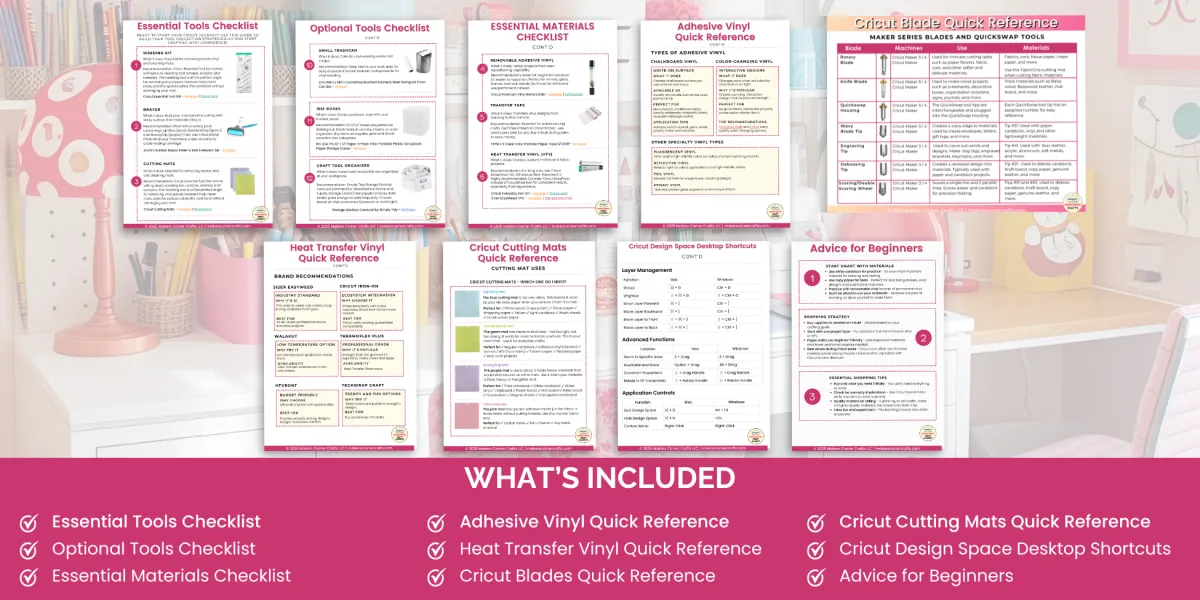
50+ pages of cheat sheets, checklists, and quick reference guides designed for beginning crafters. Print them. Keep them by your Cricut.
Stop wasting time searching for answers you need over and over again.
Your Cricut's new cheat codes.
Does This Sound Familiar?
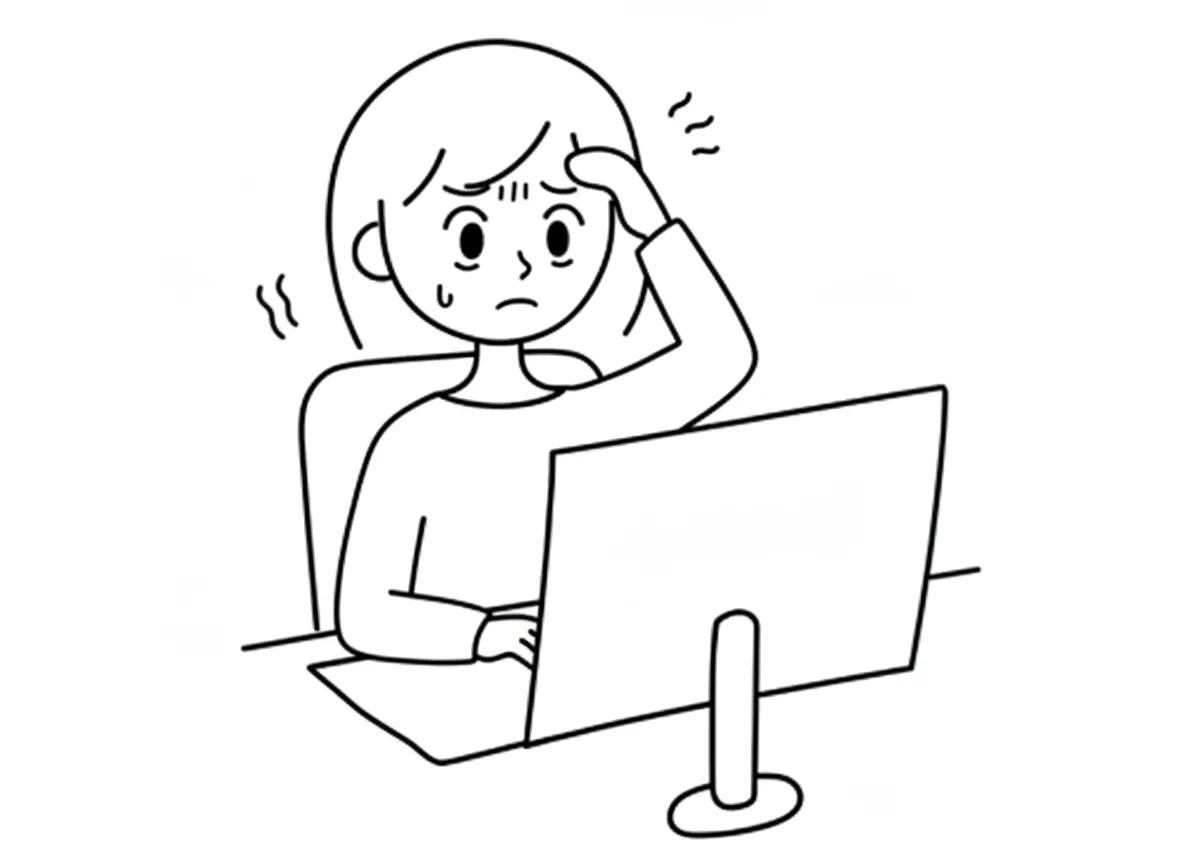

Before Smart Sheets
After Smart Sheets
You stop mid-project to Google a simple question and end up more confused than when you started
Your answer is right in front of you — on your printed Smart Sheet or open on your screen. No searching, no confusion.
You posted in a Facebook group three hours ago and you're still waiting for someone to reply
You don't need to wait on anyone. The answer to the most common Cricut questions is already on your Smart Sheet.
You finally got an answer—but then someone else commented with completely different advice
You stop mid-project to Google a simple question and end up more confused than when you started
You've bookmarked a dozen blog posts and YouTube videos but can never find the right one when you need it
Your Smart Sheets are written for your Cricut machine. And if you still have questions, post them in the Makers Corner Crafts community — where you'll get real answers from fellow crafters and from me directly.
You're not sure if the information you found is outdated, incorrect, or just doesn't apply to your machine
Your Smart Sheets are written specifically for Cricut and kept up to date. When information changes, the sheets are updated and you can download the latest version anytime right inside the community.
You've wasted more time searching for answers than actually crafting
You spend your time making, not searching. Pick up where you left off and keep your project moving forward.
Does This Sound Familiar?
Before Smart Sheets
You stop mid-project to Google a simple question and end up more confused than when you started
You posted in a Facebook group three hours ago and you're still waiting for someone to reply
You finally got an answer—but then someone else commented with completely different advice
You've bookmarked a dozen blog posts and YouTube videos but can never find the right one when you need it
You're not sure if the information you found is outdated, incorrect, or just doesn't apply to your machine
You've wasted more time searching for answers than actually crafting
After Smart Sheets
You don't need to wait on anyone. The answer to the most common Cricut questions is already on your Smart Sheet.
Your answer is right in front of you — on your printed Smart Sheet or open on your screen. No searching, no confusion.
You stop mid-project to Google a simple question and end up more confused than when you started
Your Smart Sheets are written for your Cricut machine. And if you still have questions, post them in the Makers Corner Crafts community — where you'll get real answers from fellow crafters and from me directly.
Your Smart Sheets are written specifically for Cricut and kept up to date. When information changes, the sheets are updated and you can download the latest version anytime right inside the community.
You spend your time making, not searching. Pick up where you left off and keep your project moving forward.
More crafting.
Less Googling.
Introducing Smart Start Smart Sheets
9 Essential Quick Reference Guides for Beginning Crafters
Here's everything you get:
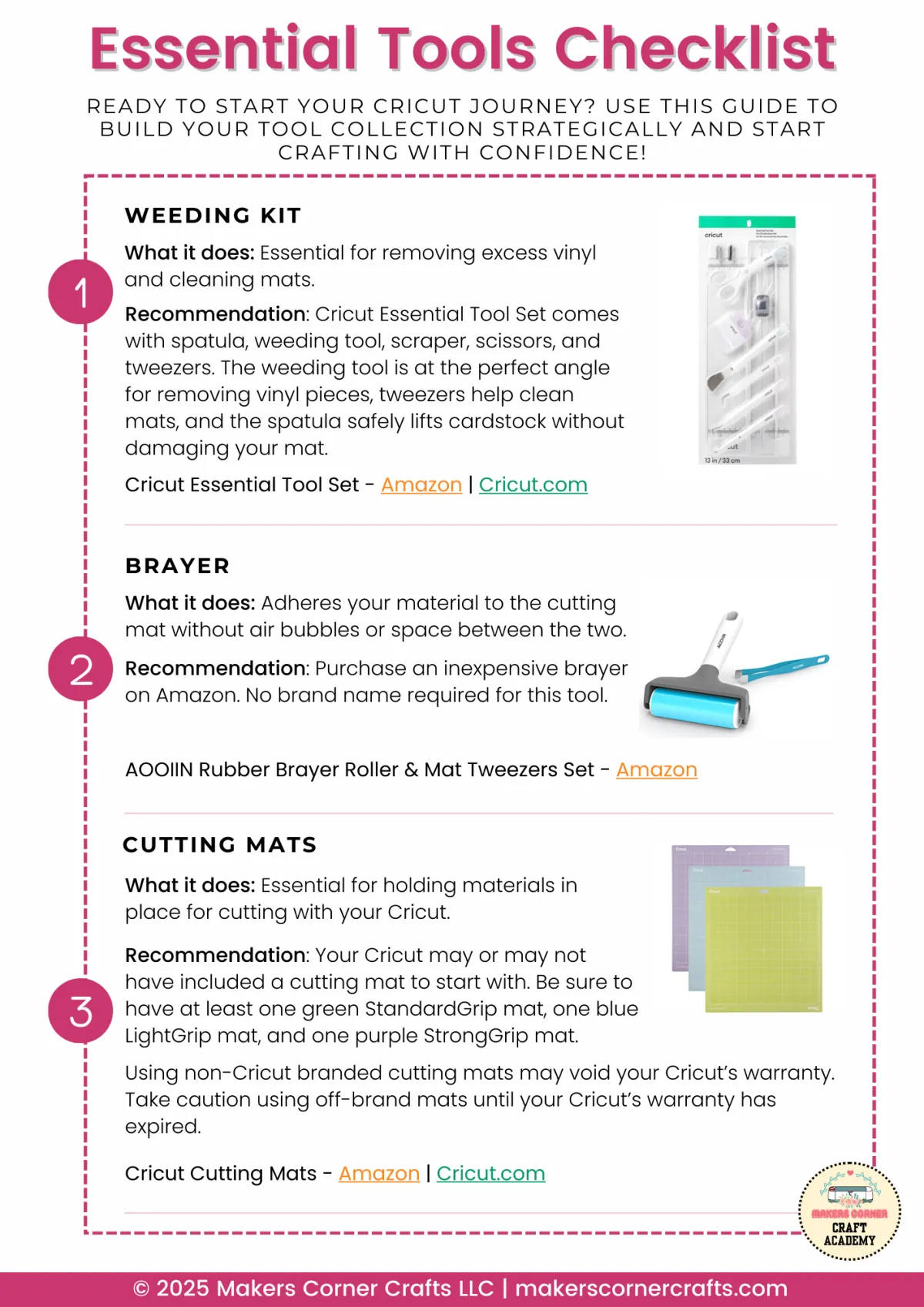
1. Essential Tools Checklist
Know exactly what tools you actually need to get started—no guessing, no overspending on things you won't use. Check off what you have and see what's missing.
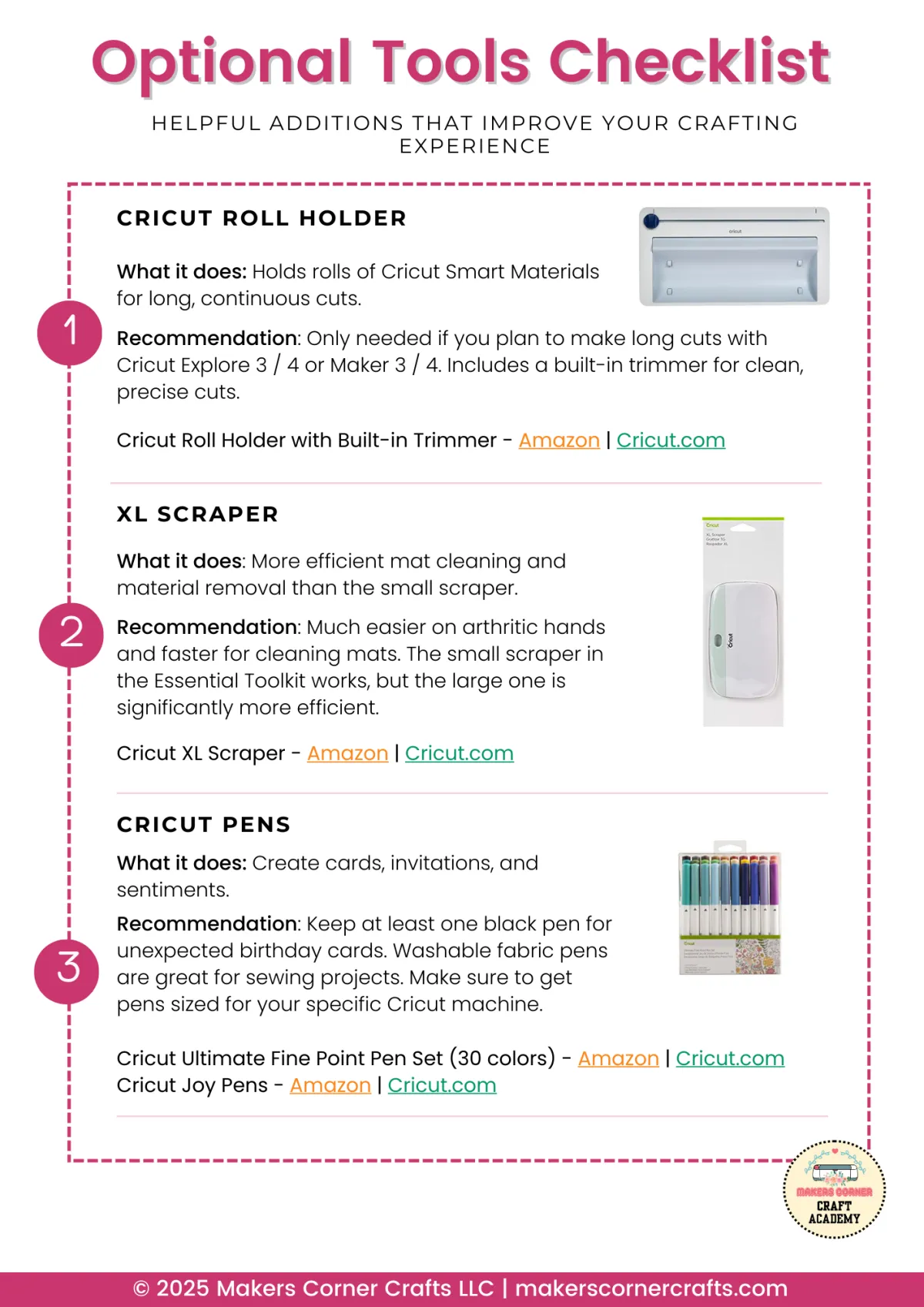
2. Optional Tools Checklist
See which tools are nice to have (but not required) so you can add to your collection over time without feeling pressured to buy everything at once.
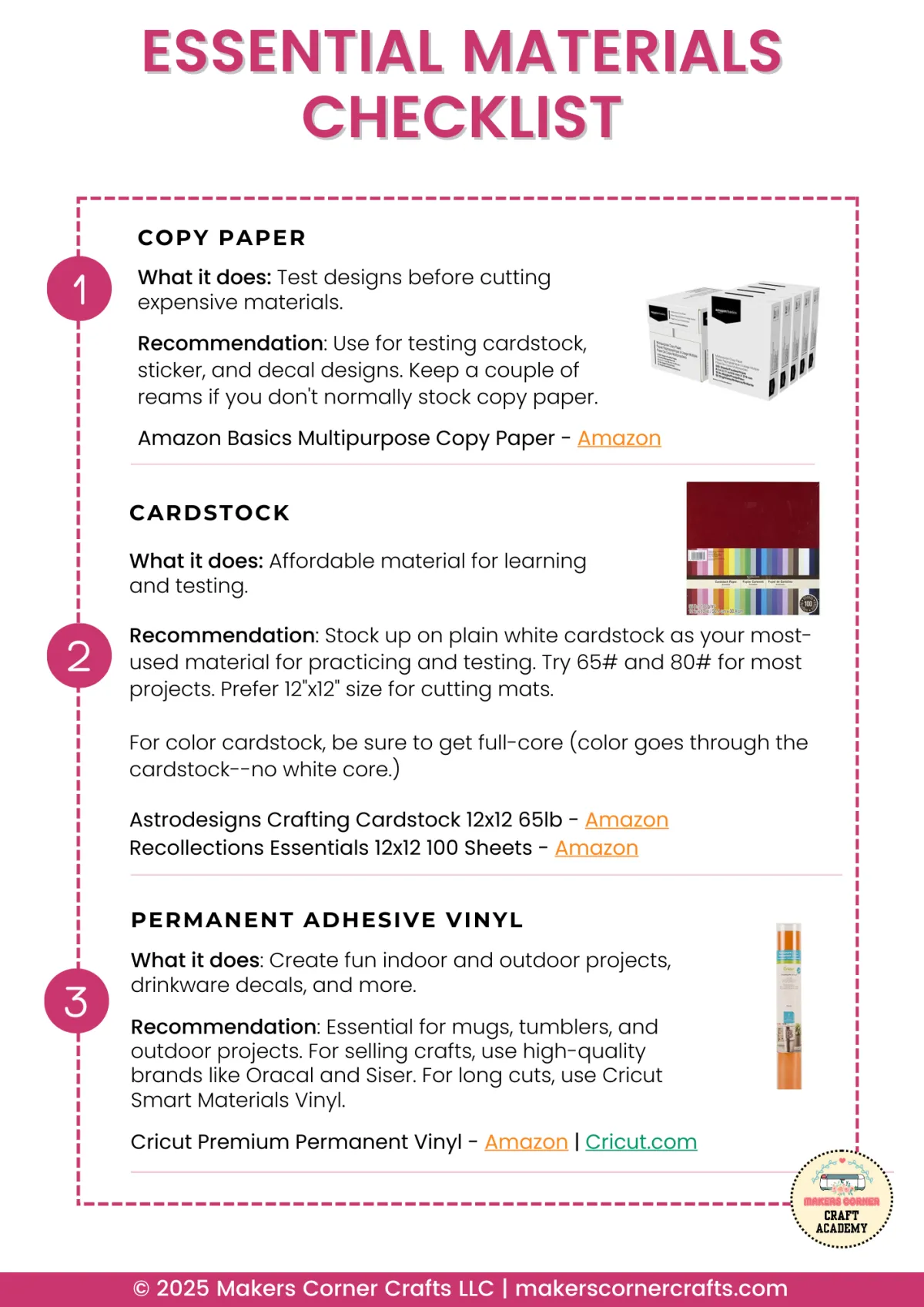
3. Essential Materials Checklist
A complete list of the materials you need to start crafting. Stop wondering if you're missing something important.
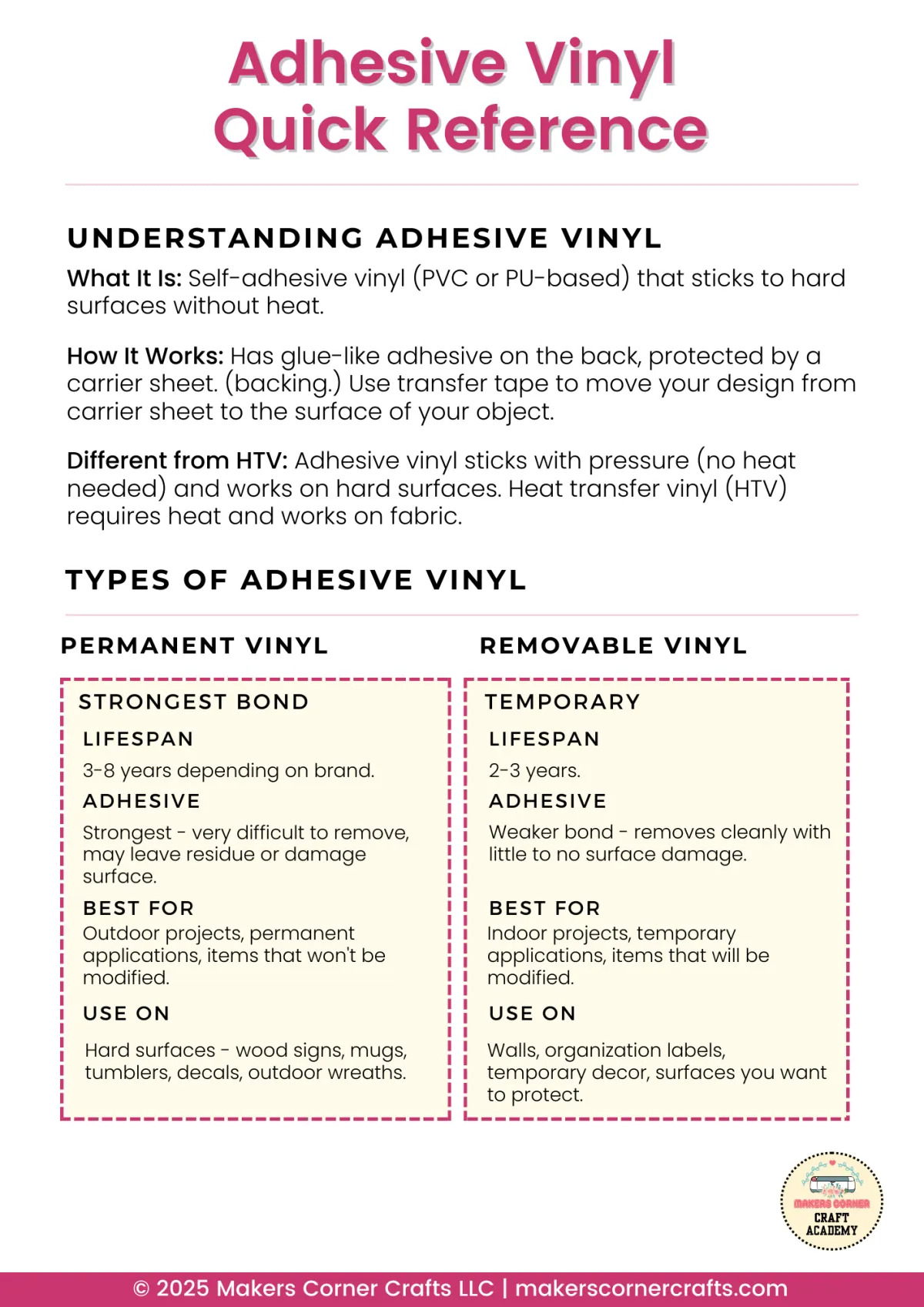
4. Adhesive Vinyl Quick Reference
Never confuse permanent and removable vinyl again. Know which type to use for every project—tumblers, walls, cars, and more.
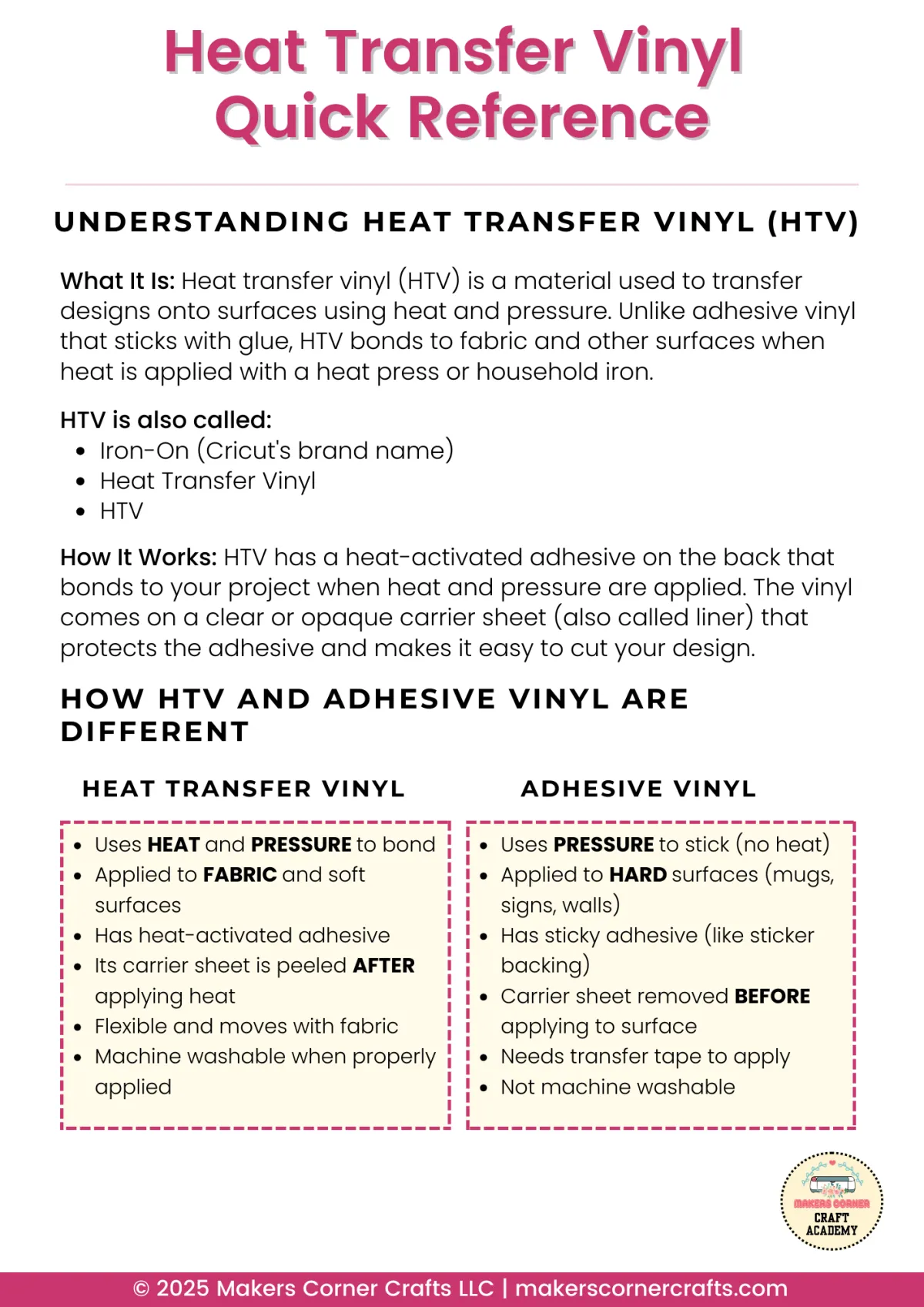
5. Heat Transfer Vinyl Quick Reference
HTV settings, application tips, and which types work best for different fabrics. Your go-to guide for t-shirts, bags, and more.
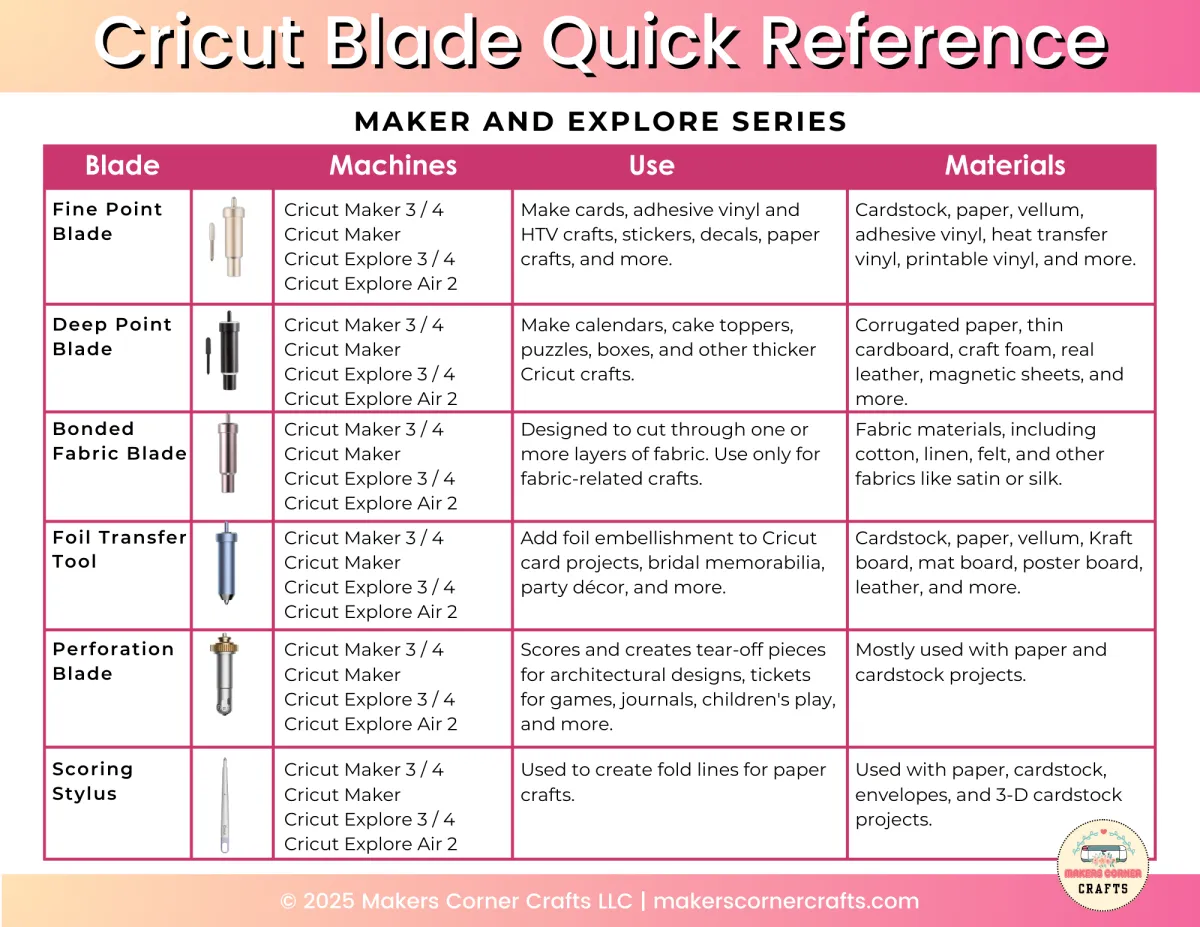
6. Cricut Blades Quick Reference
Which blade cuts what? When to change your blade? All the blade info you need in one simple chart you can reference any time.
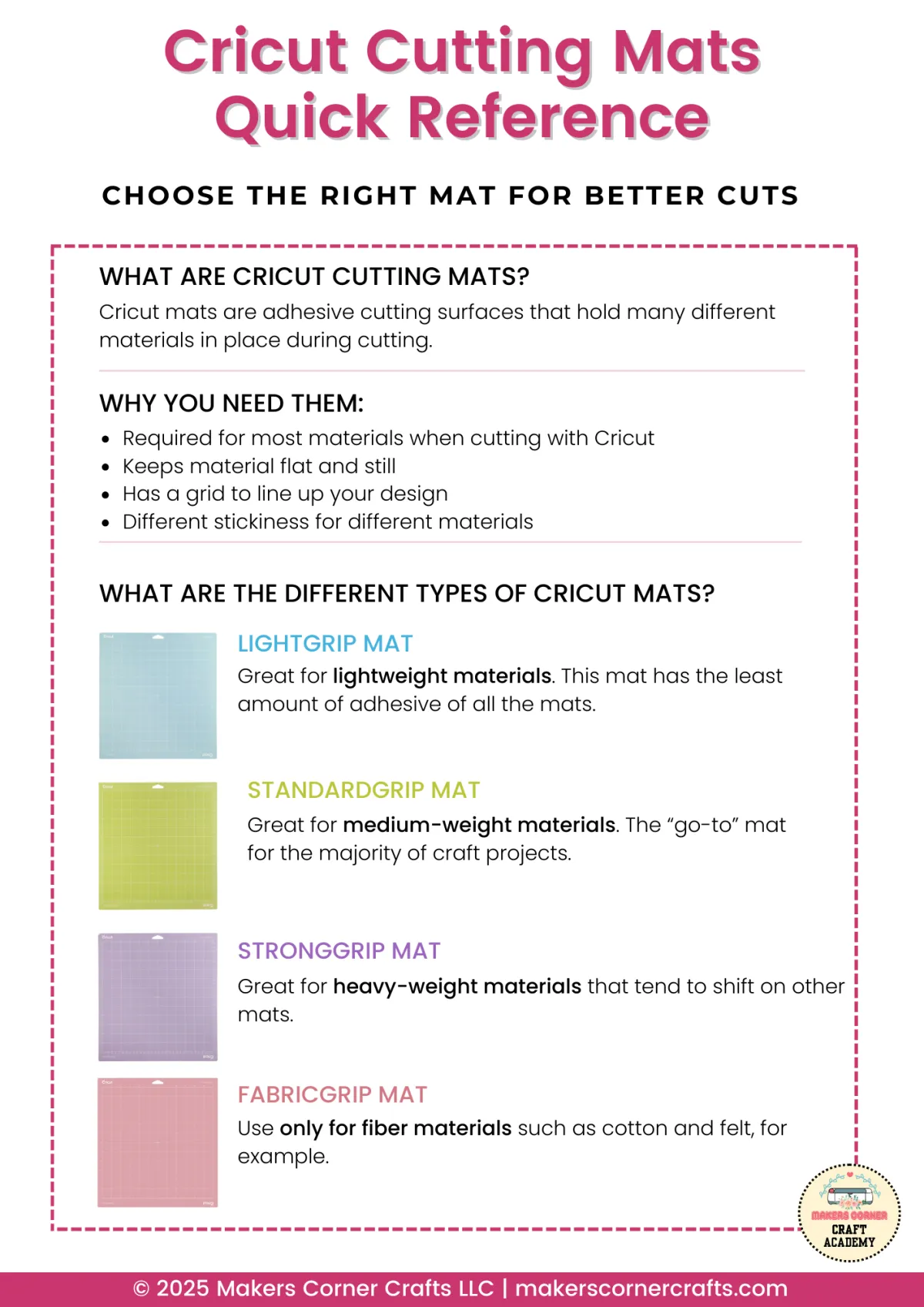
7. Cricut Cutting Mats Quick Reference
Green, blue, pink, purple—which mat goes with which material? This guide makes it simple. No more ruined projects from using the wrong mat.
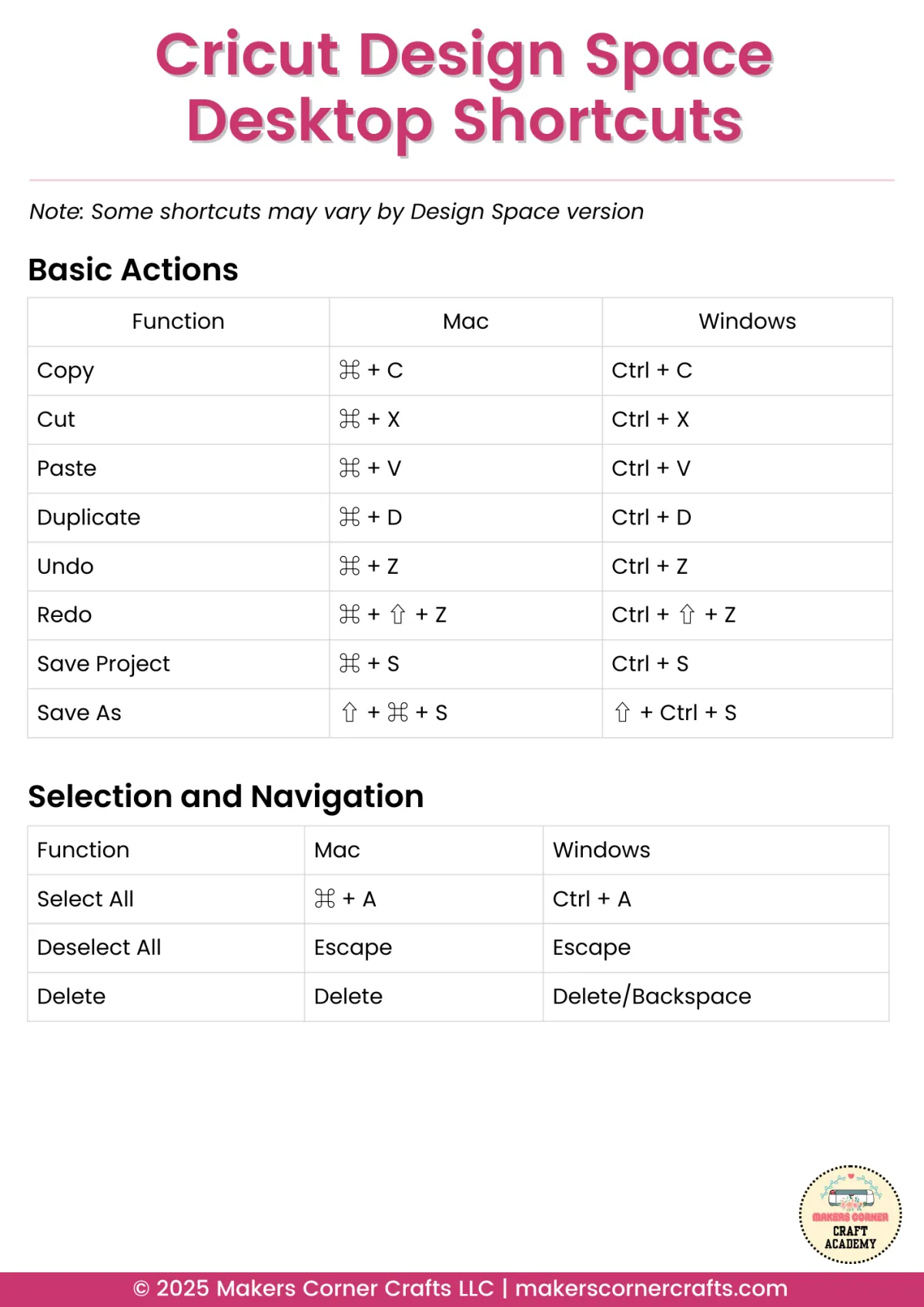
8. Cricut Design Space Desktop Shortcuts
Speed up your design work with keyboard shortcuts. Print this out, stick it near your computer, and watch your workflow get faster.
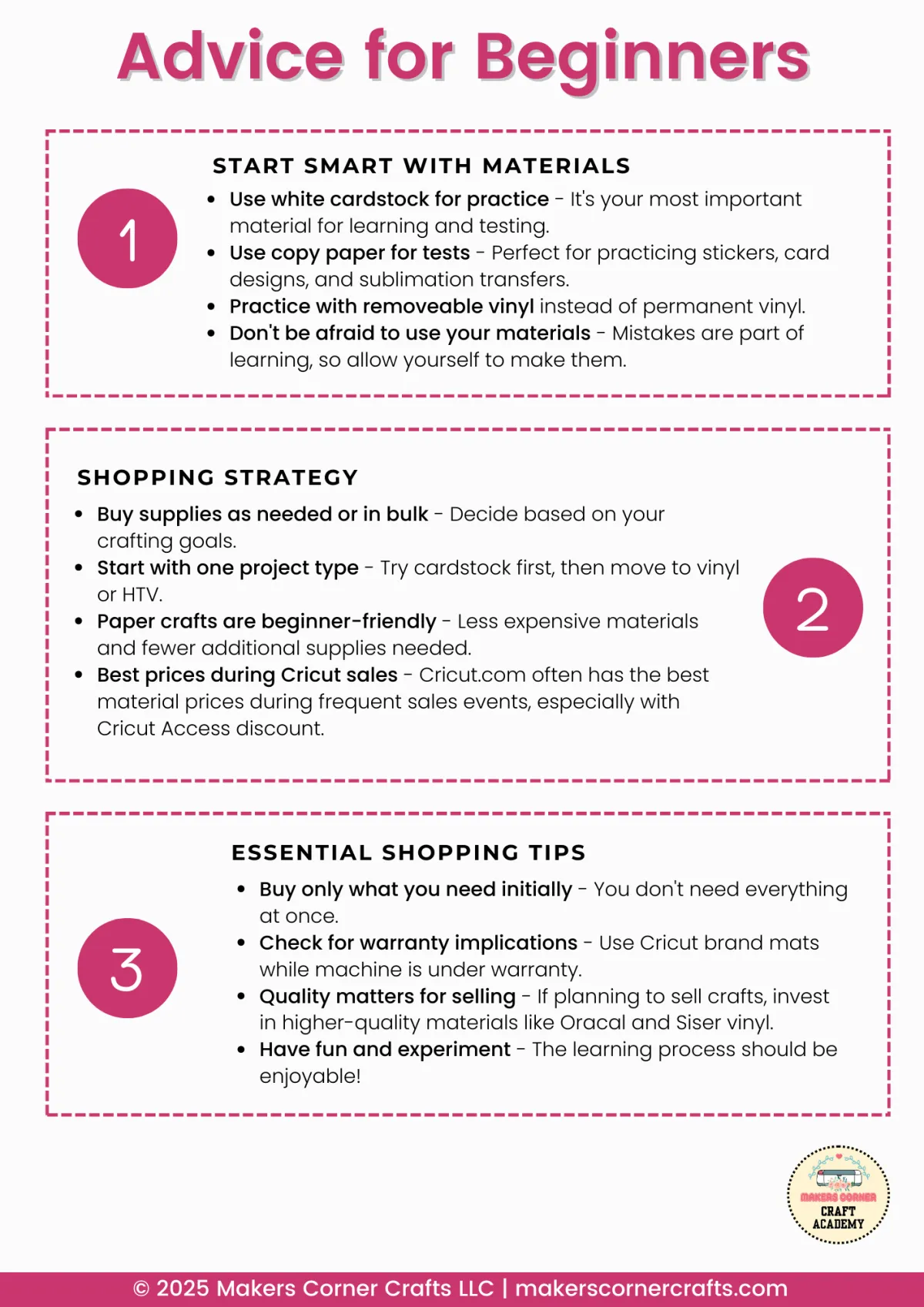
9. Advice for Beginners
Real, practical advice from someone who's been there. The tips I wish I'd known when I started—things that would have saved me time, money, and frustration.
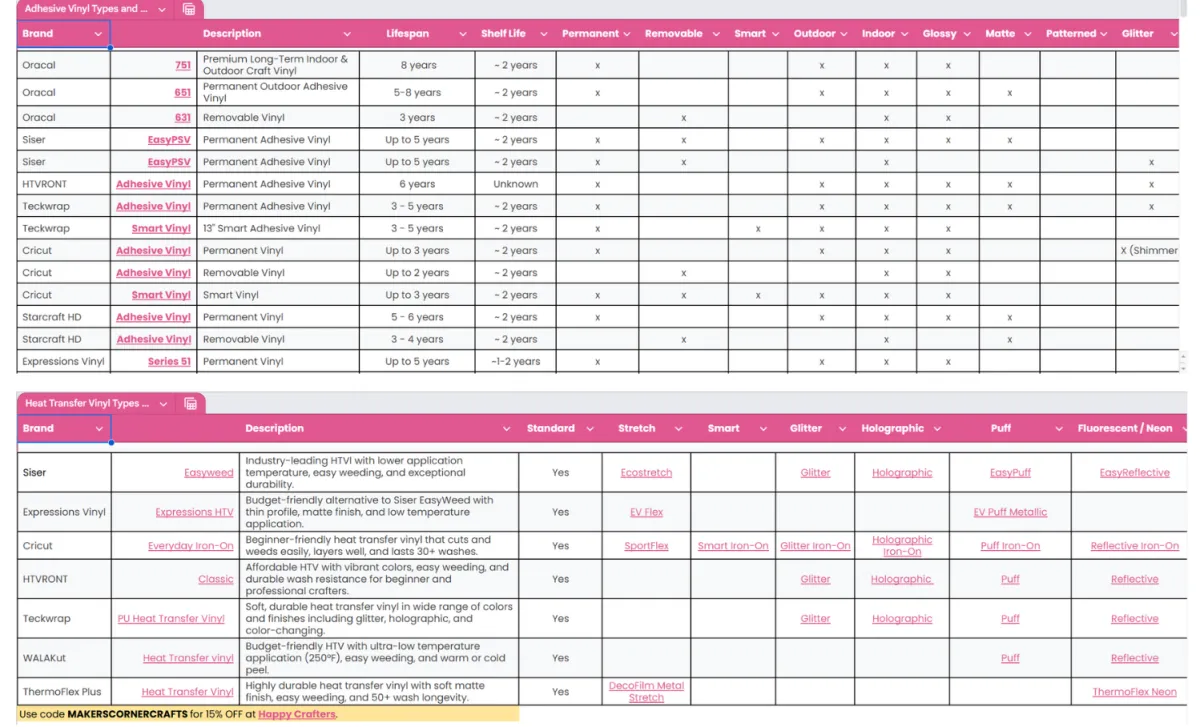
🎉BONUS GUIDES
Get access to the expanded online Adhesive Vinyl Reference Guide and the HTV Reference Guide.
50+ pages of "Oh, THAT'S how you do it!"
Smart Sheets are
Perfect for You If...
Smart Sheets are
Not For You If...
You just got a Cricut and feel overwhelmed by all the options.
You've been using your Cricut for years and already know your blades, mats, and material settings inside and out.
You've had your machine for a while but still find yourself Googling basic questions.
You rarely run into questions you can't answer on your own and already have a reliable system that works for you.
You want a faster way to find answers so you can get back to your project — without replacing the videos, blogs, and resources you already love.
You're looking for something that replaces all other learning. The Smart Sheets are a quick reference tool, not a complete course. Videos, blogs, and resources like Cricut.com are still a great part of your learning journey.
You're tired of incomplete or confusing information online and want one trusted place to get answers.
You haven't bought your Cricut yet — and that's okay! Start with our FREE Finding Your Perfect Cricut Cutting Machine guide first. Once you've got your machine, the Smart Sheets will be ready and waiting for you.
You own a Cricut machine and want reference guides written specifically for Cricut — not general cutting machine advice.
You own a Silhouette, Brother, or other brand cutting machine. These sheets are written specifically for Cricut.
You can open and view a PDF on your computer. The bonus content inside the sheets includes clickable links that work when viewed on screen.
You don't have a way to open a PDF on your computer. The sheets and their bonus links require a device that can display a PDF file.
For crafters who'd rather create than search.
Smart Sheets are
Perfect for You If...
You just got a Cricut and feel overwhelmed by all the options.
You've had your machine for a while but still find yourself Googling basic questions.
You want a faster way to find answers so you can get back to your project — without replacing the videos, blogs, and resources you already love.
You're tired of incomplete or confusing information online and want one trusted place to get answers.
You own a Cricut machine and want reference guides written specifically for Cricut — not general cutting machine advice.
You can open and view a PDF on your computer. The bonus content inside the sheets includes clickable links that work when viewed on screen.
Skip the Scroll. Grab Your Guides.
No More Waiting for Answers: Post a question in a Facebook group and you might get a helpful reply in an hour... or three days. With your Smart Sheets, the answer is already there.
No More Conflicting Advice: Google "which Cricut mat should I use" and you'll get ten different answers. These guides give you one clear, reliable answer you can trust.
No More Piecing It Together: Stop bouncing between YouTube videos, blog posts, Reddit threads, and Facebook comments trying to figure out what's actually true. It's exhausting. Your guides have it all in one place.
No More Second-Guessing: When the information comes from a trusted source who's done the research for you, you can craft with confidence instead of crossing your fingers.
No More Interruptions: Scrolling through your phone pulls you out of your creative zone. A printed guide keeps you focused and in the flow.
Print once. Reference forever.
Smart Sheets are
Not For You If...
You've been using your Cricut for years and already know your blades, mats, and material settings inside and out.
You rarely run into questions you can't answer on your own and already have a reliable system that works for you.
You're looking for something that replaces all other learning. The Smart Sheets are a quick reference tool, not a complete course. Videos, blogs, and resources like Cricut.com are still a great part of your learning journey.
You haven't bought your Cricut yet — and that's okay! Start with our FREE Finding Your Perfect Cricut Cutting Machine guide first. Once you've got your machine, the Smart Sheets will be ready and waiting for you.
You own a Silhouette, Brother, or other brand cutting machine. These sheets are written specifically for Cricut.
You don't have a way to open a PDF on your computer. The sheets and their bonus links require a device that can display a PDF file.
For crafters who'd rather create than search.
What You Get
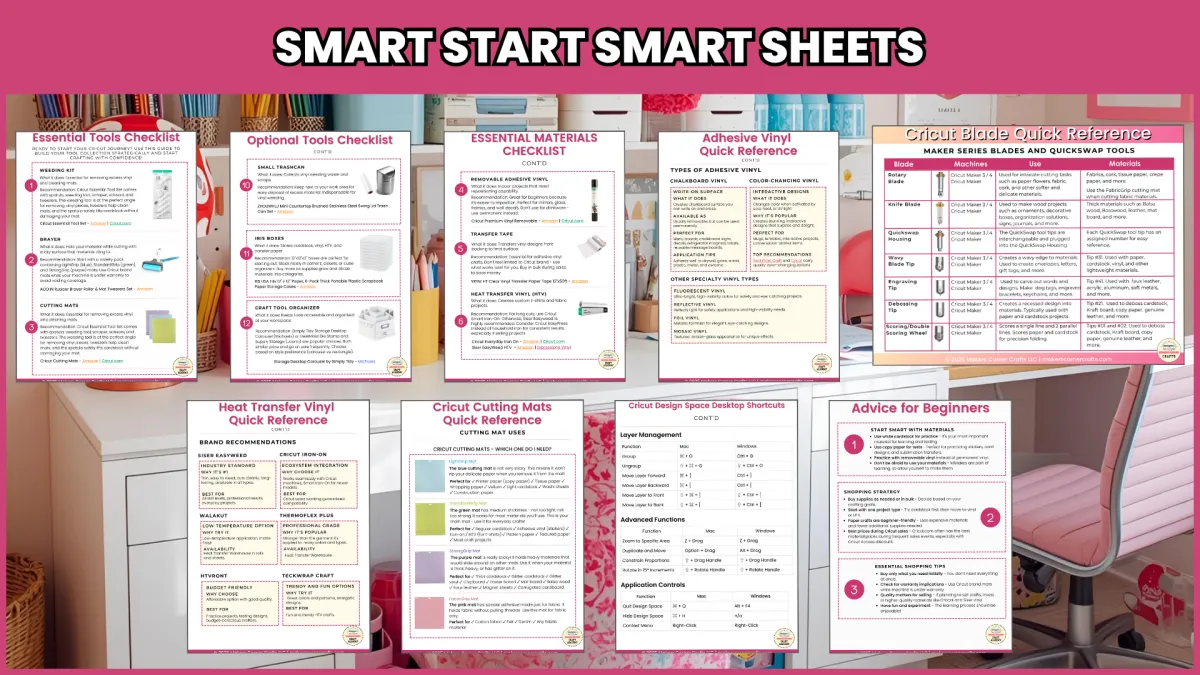
9 printable quick reference guides
50+ pages of practical information
Access to Additional Online Guides
Instant digital download
Print as many copies as you need
Cheaper than a latte and muffin.
And you'll use these guides for years.
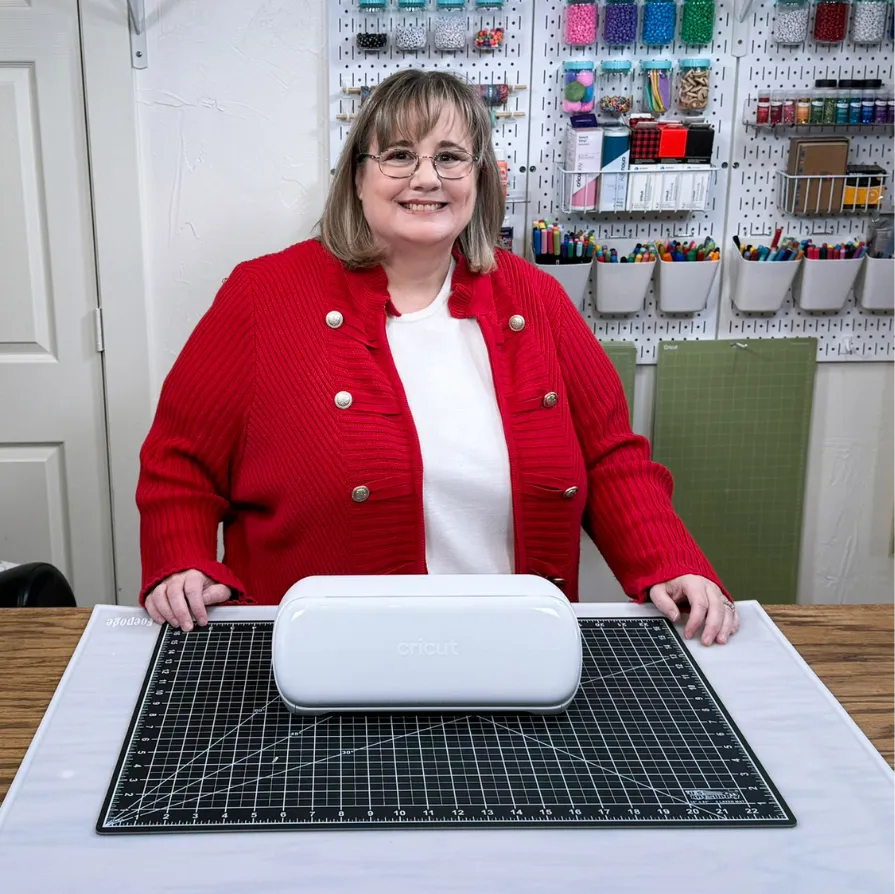
Hi, I'm Michelle!
I am the owner and creator of Makers Corner Crafts. I help crafters who aren't tech experts learn to use their cutting machines, heat presses, and craft tools—so they can stop feeling stuck and start creating the beautiful projects they want to make.
©Makers Corner Crafts | All Rights Reserved.